AgentOS Scope Out
BlogChangelogFAQFeaturesHow it worksIntegrationsSecurityUse cases
Join the waitlist
AgentOS Scope OutJoin the waitlist
AgentOS Scope Out
HomeBlogChangelogFAQFeaturesHow it worksIntegrationsSecurityUse cases
Join the waitlist
AgentOS Scope Out
BlogChangelogFAQFeaturesHow it worksIntegrationsSecurityUse cases
TermsPrivacyData Processing

© 2026 AgentOS Scope Out

USE CASES / WHO IT'S FOR

The same tool. Three distinct jobs it gets done.

Scope Out was built for a tight internal team hunting proptech SaaS opportunities. Here is how each member of that team uses it — and the specific features carrying their weight.

PERSONA 01 — THE OPPORTUNITY HUNTER
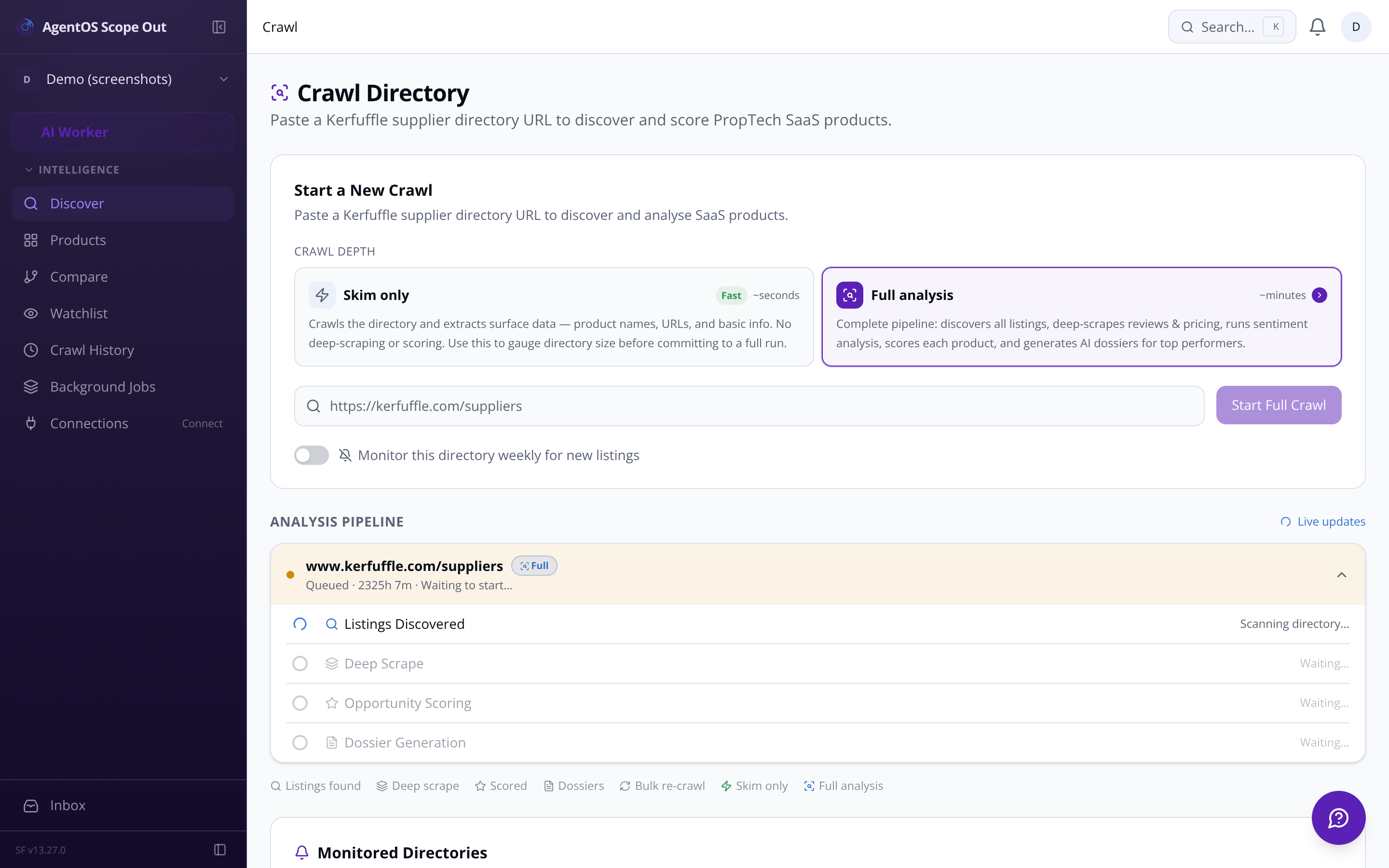
You know a market is ripe. You need to know which product to build next.

Crawl trigger UI — paste a directory URL and start analysis

Paste a URL. Get a ranked shortlist in minutes.

Drop a Kerfuffle directory URL into the crawl form. The pipeline skims every listing, then deep-scrapes the top candidates — pulling star ratings, review text, pricing signals, and feature bullet points — before scoring each product across four dimensions and ranking them by composite opportunity score.

  • Skim or full analysis Gauge directory size with a quick skim before committing to a deep run.

  • Top-N auto-selection The system flags the strongest surface candidates for deep analysis — you confirm before it fires.

  • Composite score ranking Replicability, market demand, revenue potential, and competitive gap — weighted your way.

  • Live pipeline status Listings discovered, products scored, dossiers generated — tracked in real time.

Four core workflows the whole pipeline serves

Whether you're starting cold or returning to a market you've been watching for months, these are the jobs Scope Out does.

  1. WORKFLOW 01 — DISCOVER

    Crawl a directory, surface what's there

    Paste any PropTech directory URL. The crawler skims all listings, deduplicates, and reports back how many products it found — in seconds, before you commit to a full deep-scrape run.

  2. WORKFLOW 02 — SCORE

    AI scores every product across four dimensions

    The scoring engine passes scraped feature lists, review text, pricing signals, and category data to the LLM. Four dimension scores are computed and combined into a single composite opportunity score.

  3. WORKFLOW 03 — ANALYSE

    Drill into a dossier, read the full case

    Click any product row to open its dossier: all four dimension scores with written rationales, raw review samples, pricing tier, extracted feature list, an auto-drafted mission statement, and a competitor weakness analysis.

  4. WORKFLOW 04 — MONITOR

    Mark directories as monitored, get alerted to new entrants

    Flag any directory for weekly automated re-crawl. When new listings appear, they're badged 'new since last crawl' in the dashboard and you receive an in-app notification with a direct link to the new products.

console
0.1s$ crawl --url kerfuffle.com/suppliers --depth skim
1.2sListings discovered: 214
1.8sPagination complete. Ready for deep analysis.
0.3s$ score --products top-20 --weights default
2.1sReplicability: 8.2 | Demand: 7.4 | Revenue: 6.9 | Gap: 9.1
2.6sComposite: 7.94 — ranked #1
0.2s$ dossier --product 'PropTrack CRM'
1.4sGenerating mission statement... weakness analysis... feature list...
3.0sDossier ready. 3 artefacts. Copy to clipboard.
0.1s$ monitor --url kerfuffle.com/suppliers --freq weekly
0.9sCron scheduled. Next run: Mon 06:00 UTC
1.5s3 new products found — notification sent.

The intelligence layer your next build decision needs.

Access is restricted to the internal team. Questions? Email us at sf-core-org-support-agentos-scope-out@saas-factory.ai

PERSONA 02 — THE PRODUCT STRATEGIST

Not just what the market wants — what the existing players are failing to deliver.

Negative reviews are your product roadmap.

The competitive gap scorer isolates recurring complaints across every scraped review — identifying the top three pain themes, mapping them to product opportunity areas, and scoring gap severity. The dossier turns those themes into a prioritised 10-item feature list for a competing SaaS, and a weakness analysis ready to paste into your build spec.

  • Sentiment tagging Every review labelled by sentiment, topic (pricing, UX, integrations, support), and key quoted phrase.

  • Auto-drafted mission statement A concise pitch for a competing product — generated from the gap analysis, ready to copy.

PERSONA 03 — THE FOUNDING TEAM
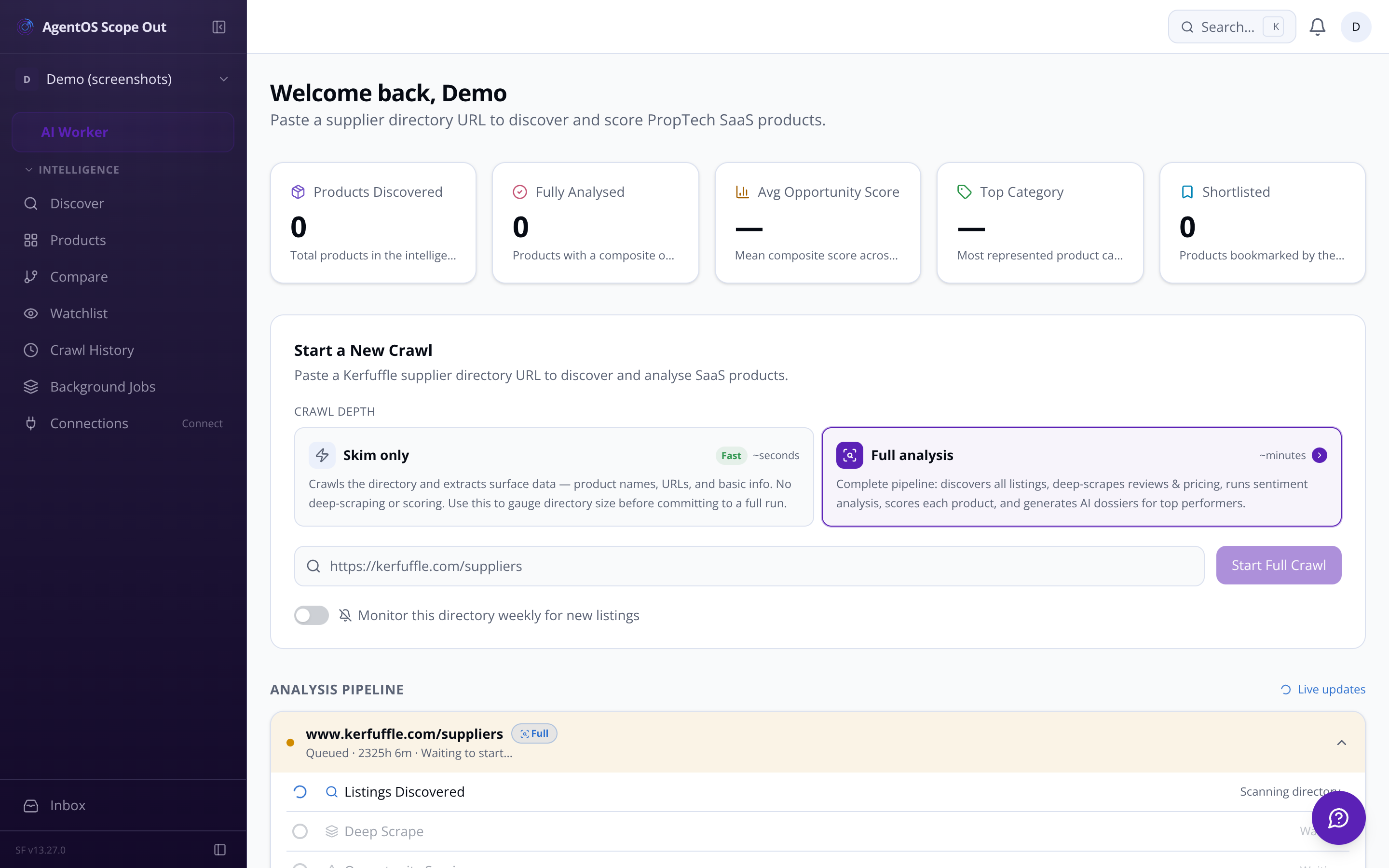
You're tracking multiple opportunities across weeks. Nothing should fall through.

Ranked products dashboard — sortable data-dense table with opportunity scores

Jobs the pipeline handles so you don't have to

Rate-limited, robots.txt-compliant crawling

The crawler respects per-domain rate limits (default 1 req/sec), parses robots.txt before touching a domain, and backs off on 429/503 responses. Blocked domains are logged to the crawl run record.

LLM scoring with configurable weights

Adjust the relative weight of each scoring dimension from the settings page. Changing weights triggers a background re-ranking without burning another AI call.

REAL-TIME INTELLIGENCE

Every background job is visible. Nothing is a black box.

The pipeline status tracker shows you exactly where each crawl run stands: listings discovered, products deep-scraped (X of Y), products scored, dossiers generated. Scrape errors surface with their status codes and failure reasons — retry individual products with one click.

  • Background jobs dashboard Every Inngest function — crawl, score, dossier — visible in a single jobs view.

  • Crawl history and run log Every past crawl: URL, timestamp, duration, products found, run status. Click any run to see its product list.

  • Scrape error retry 403 blocked, timeout, parsing failure — surfaced per product with the exact error. Manual retry from the dashboard row.

Questions about what Scope Out actually does

Side-by-side comparison Select 2–4 products and compare all dimension scores, pricing tiers, and weakness themes in one table.

  • Copy to clipboard Each dossier artefact has a one-click Markdown copy button — paste straight into your build workflow.
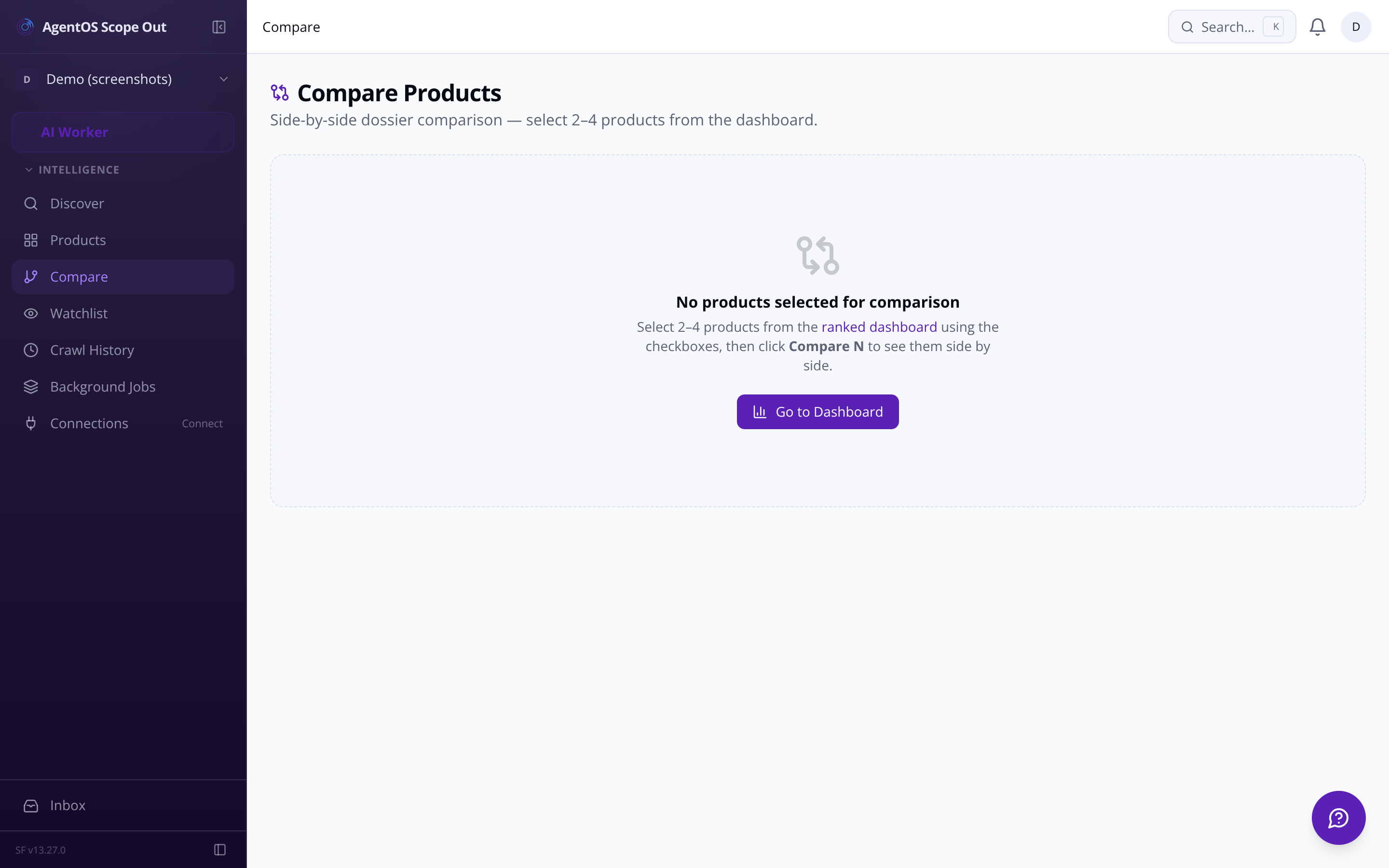
  • Product comparison view — side-by-side dossier scores

    A ranked table, a shortlist, and a full audit trail.

    The dashboard keeps every discovered product in a sortable, filterable table. Mark products as reviewed, shortlisted, or archived. Leave timestamped notes on any dossier — attributed to you by name. When scores shift, a directional indicator tells you exactly which products moved and by how much.

    • Status lifecycle New → Reviewed → Shortlisted → Building → Archived. Filterable at every stage.

    • Team notes on dossiers Threaded, timestamped, attributed — so 'Glyn looked at this, too complex' stays on the record.

    • Score movement alerts Products that shift more than 1.5 points between crawl runs surface a directional indicator on the dashboard row.

    • Weekly intelligence digest A weekly email summarises new products found, top composite scores, and notable score changes — no manual checking required.

    Export — Markdown, PDF, and CSV

    Export a full dossier to Markdown or PDF in one click. Export the entire ranked table as CSV for offline analysis or sharing with people who don't have tool access.

    AI cost tracking per crawl run

    Token usage and estimated cost are tracked per run — broken down by skim, scoring, and dossier generation. An in-app alert fires if a single run exceeds your configured threshold.

    Dossier version history

    Every re-score snapshots the previous dossier version. Track how scores and written analyses have shifted across crawl runs — useful for markets you're watching over months.

    Scrape cache and data retention

    A 7-day minimum re-scrape guard prevents redundant API calls. Raw scrape data is retained for 90 days by default — both values are configurable from settings.
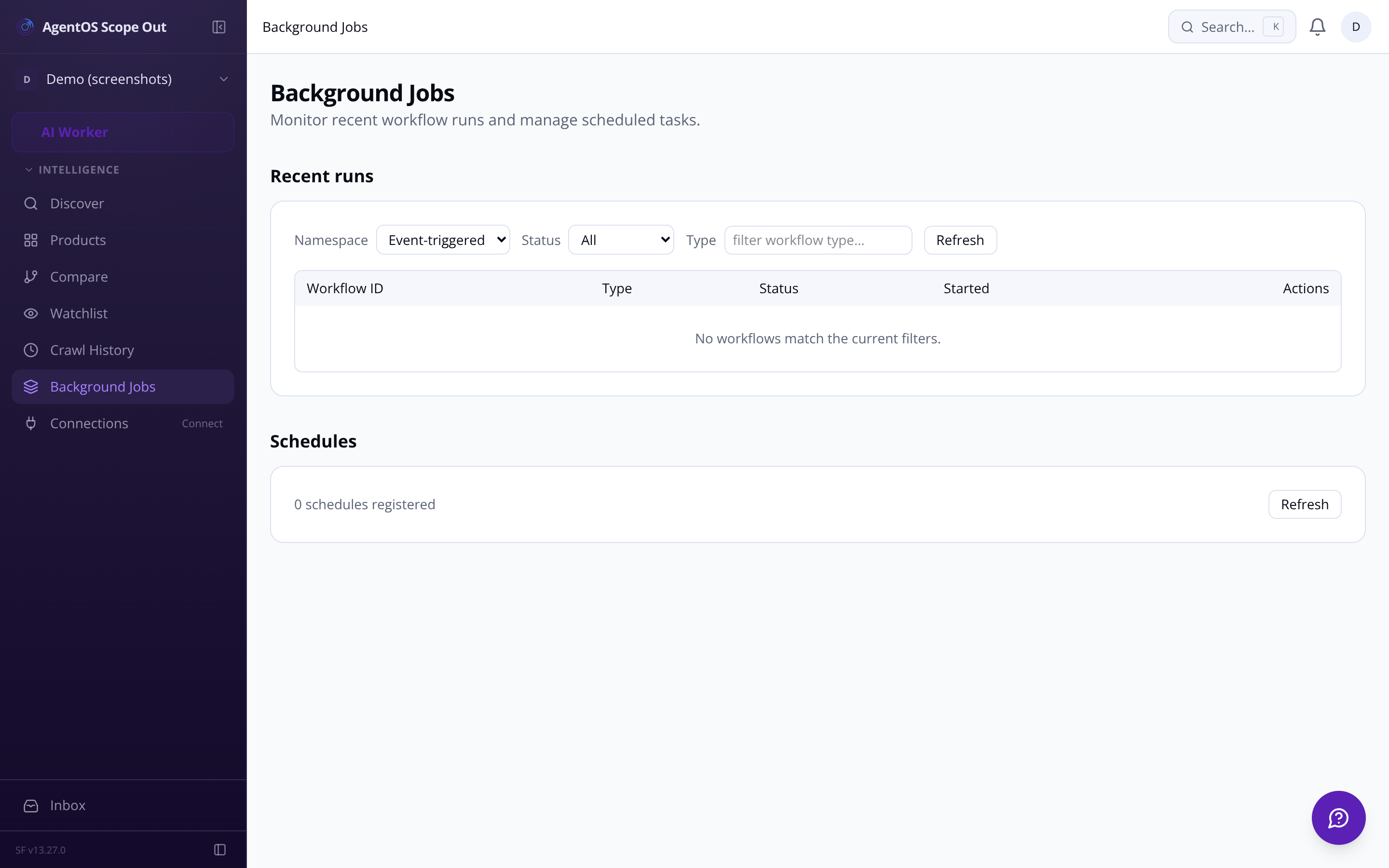
    Background jobs view — pipeline status and crawl run progress
    Kerfuffle is the primary supported source, with purpose-built extraction rules for its listing structure. That said, the source directory management settings let you add other directory URLs beyond Kerfuffle — G2 PropTech and GetApp PropTech are named expansion targets. Each directory gets its own crawl frequency (one-off, weekly, or monthly), and the scraper plugin architecture lets site-specific extraction rules be defined for new high-value domains. If a site isn't yet in the plugin registry, the crawler falls back to generic heuristics.
    No. Every composite score is built from four transparent, separately reported dimensions: replicability (how buildable is this with our stack, 1–10), market demand (review volume, recency, and sentiment ratio, 1–10), revenue potential (pricing tier crossed against PropTech category market size, 1–10), and competitive gap (frequency and severity of recurring negative review themes, 1–10). Each dimension has a written LLM rationale alongside its number, and you control the weighting of each dimension from the settings page. Change the weights and the entire product table re-ranks in the background — no AI re-run required.
    Access is restricted to a hardcoded allowlist of approved email addresses. Any sign-in attempt from an address not on that list is rejected with an explicit 'access restricted' message. There is no public sign-up flow. The root URL routes unauthenticated visitors straight to the sign-in page — there is no public-facing marketing funnel to stumble through. It is a deliberately closed internal tool.
    A full dossier includes: all four scored dimensions with written rationales, raw review samples, pricing signals normalised to a standard tier (free through enterprise), a feature list extracted from scraping, an AI-drafted mission statement for a competing SaaS, a prioritised 10-item suggested feature list shaped by market gaps, and a competitor weakness analysis drawn from negative review patterns. Each of those three text artefacts has a copy-to-clipboard button that outputs formatted Markdown. You can also export the entire dossier as a Markdown file or PDF from the same page. Dossier version history is retained every time a product is re-scored, so you can track how the opportunity has shifted over time.
    Several signals surface movement automatically. Monitored directories run a weekly re-crawl and flag any newly discovered products with a 'new since last crawl' badge on the dashboard. When a product's composite score moves more than 1.5 points between runs, a directional indicator (▲ or ▼) appears on its dashboard row. If a shortlisted product drops significantly, you can opt into an in-app notification. A weekly email digest also lands in your inbox summarising the top new products discovered, the top scorers, and any products with notable score swings — configurable per user in notification settings.
    Yes. When starting a crawl you choose the depth: 'Skim only' discovers listings and pulls surface data in seconds with minimal AI cost, while 'Full analysis' runs the complete scrape, score, and dossier pipeline. The typical workflow is to skim first to gauge directory size, then review the auto-flagged top candidates before confirming the expensive deep-analysis run. AI token usage and estimated cost are tracked per crawl run and broken down by pipeline stage on the run detail page. Cumulative monthly spend is logged, and you can set a cost threshold — the default is $5 per run — that triggers an in-app alert if a single run exceeds it.